
CloudCollection#add。和 . and CloudCollection#remove。不要直接调用构造函数。 . Do not call the constructor directly.
CloudCollection.
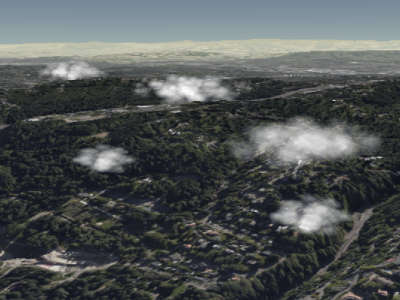
积云示例 Example cumulus clouds
性能: Performance:
类似于 Similar to Billboard,读取属性,例如, , reading a property, e.g., CumulusCloud#show,需要常数时间。分配给属性的时间是恒定的,但会导致 CPU 到 GPU 的流量 , takes constant time. Assigning to a property is constant time but results in CPU to GPU traffic when CloudCollection#update 被称为。无论更新了多少属性,每个云的流量都是相同的。如果集合中的大多数云需要更新,则使用以下命令清除集合可能会更有效 is called. The per-cloud traffic is the same regardless of how many properties were updated. If most clouds in a collection need to be updated, it may be more efficient to clear the collection with CloudCollection#removeAll
并添加新的云而不是修改每个云。 and add new clouds instead of modifying each one.
演示: Demo:
另见: See:
成员 Members
cloud.brightness = 1.0;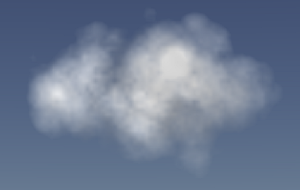 |
cloud.brightness = 0.6;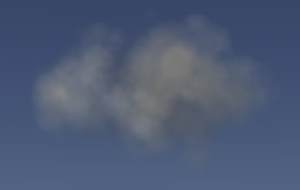 |
cloud.brightness = 0.0;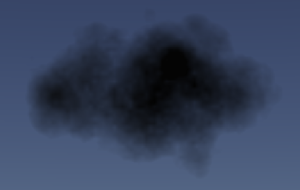 |
-
默认值: Default Value:
1.0
-
默认值: Default Value:
Color.WHITE
maximumSize : Cartesian3
获取或设置广告牌上呈现的积云的最大尺寸。这定义了云可以出现的最大椭球体积。这不是保证特定的大小,而是指定云出现的边界,并且改变它可以影响云的形状。 Gets or sets the maximum size of the cumulus cloud rendered on the billboard. This defines a maximum ellipsoid volume that the cloud can appear in. Rather than guaranteeing a specific size, this specifies a boundary for the cloud to appear in, and changing it can affect the shape of the cloud.
更改 z 值 Changing the z-value of maximumSize 对云的外观具有最显着的影响,因为它改变了云的深度,从而改变了对云成形纹理进行采样的位置。 has the most dramatic effect on the cloud's appearance because it changes the depth of the cloud, and thus the positions at which the cloud-shaping texture is sampled.
cloud.maximumSize = new Cesium.Cartesian3(14, 9, 10);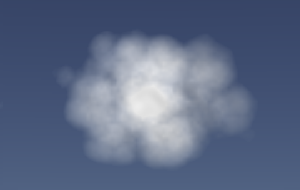
|
cloud.maximumSize.x = 25;
|
cloud.maximumSize.y = 5;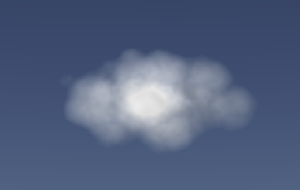
|
cloud.maximumSize.z = 17;
|
要修改广告牌的实际大小,请修改云的 To modify the billboard's actual size, modify the cloud's scale property.
另见: See:
获取或设置积云广告牌的比例(以米为单位)。的 Gets or sets the scale of the cumulus cloud billboard in meters. The scale 属性会影响广告牌的大小,但不会影响云的实际外观。 property will affect the size of the billboard, but not the cloud's actual appearance.
cloud.scale = new Cesium.Cartesian2(12, 8);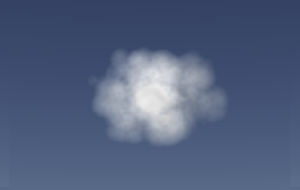
|
cloud.scale = new Cesium.Cartesian2(24, 10);
|
要修改云的外观,请修改其 To modify the cloud's appearance, modify its maximumSize
and slice properties.
-
默认值: Default Value:
true
获取或设置在广告牌上呈现的云的“切片”,即为广告牌外观选择的云的特定横截面。给定 0 到 1 之间的值,切片根据其在 z 方向上的最大尺寸指定与云相交的深度。 Gets or sets the "slice" of the cloud that is rendered on the billboard, i.e. the specific cross-section of the cloud chosen for the billboard's appearance. Given a value between 0 and 1, the slice specifies how deeply into the cloud to intersect based on its maximum size in the z-direction.
cloud.slice = 0.32; |
cloud.slice = 0.5; |
cloud.slice = 0.6; |
由于计算此切片的性质,以下值 Due to the nature in which this slice is calculated, values below 0.2 可能会导致横截面太小,并且椭球体的边缘将可见。同样,上面的值 may result in cross-sections that are too small, and the edge of the ellipsoid will be visible. Similarly, values above 0.7
会使云显得更小。值超出范围 will cause the cloud to appear smaller. Values outside the range [0.1, 0.9]
应完全避免,因为它们不会产生理想的结果。 should be avoided entirely because they do not produce desirable results.
cloud.slice = 0.08;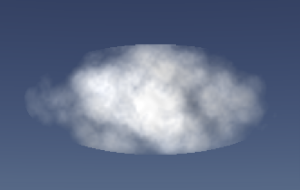 |
cloud.slice = 0.8;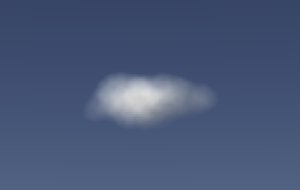 |
If slice 设置为负数时,云将不会渲染横截面。相反,它将渲染可见的椭球体的外部。对于“maximumSize.z”值较小的云,这可以产生美观的结果,但对于较大的云,这可能会导致云不希望地扭曲为椭圆体体积。 is set to a negative number, the cloud will not render a cross-section. Instead, it will render the outside of the ellipsoid that is visible. For clouds with small values of `maximumSize.z`, this can produce good-looking results, but for larger clouds, this can result in a cloud that is undesirably warped to the ellipsoid volume.
cloud.slice = -1.0;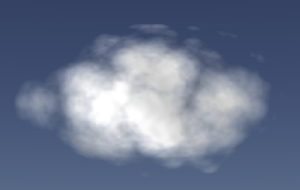
|
cloud.slice = -1.0;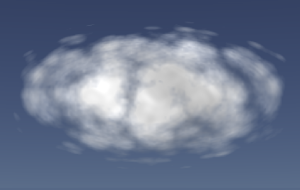 |
-
默认值: Default Value:
-1.0